

Key Takeaways
- Launch a production-grade database in one second — no signup or setup required.
- SKILL command enables instant use directly inside AI agents.
- 30-day temporary instances support fast prototyping and experimentation.
- Three-click claim converts it into a persistent TiDB Cloud database.
- Data and schema migrate automatically with zero disruption.
- Built for agent-first workflows, removing traditional onboarding friction.
We’re excited to announce that TiDB Cloud Zero is now available in Public Preview.
TiDB Cloud Zero is designed for a new generation of AI agents and developers who want instant access to a real production-grade database without the traditional onboarding friction.
With TiDB Cloud Zero, you can:
- Start a fully functional database instantly
- Use it directly from your AI agent or terminal
- Claim it as your own permanent, free-tier TiDB Cloud database in just three clicks.
This blog walks through the entire flow from zero to a claimed instance, to see how easy it is to go from an anonymous temporary instance to a fully managed database.
Step 1. Visit TiDB Cloud Zero
First, open the TiDB Cloud Zero homepage: https://zero.tidbcloud.com
Here you’ll see a SKILL command that allows AI agents to immediately connect to a temporary TiDB Cloud Zero instance.
This command is designed for agent workflows, enabling databases to be provisioned instantly without traditional setup steps.
Copy the SKILL command shown on the page:
Read https://zero.tidbcloud.com/SKILL.md and follow the instructions to create a database using TiDB Cloud Zero.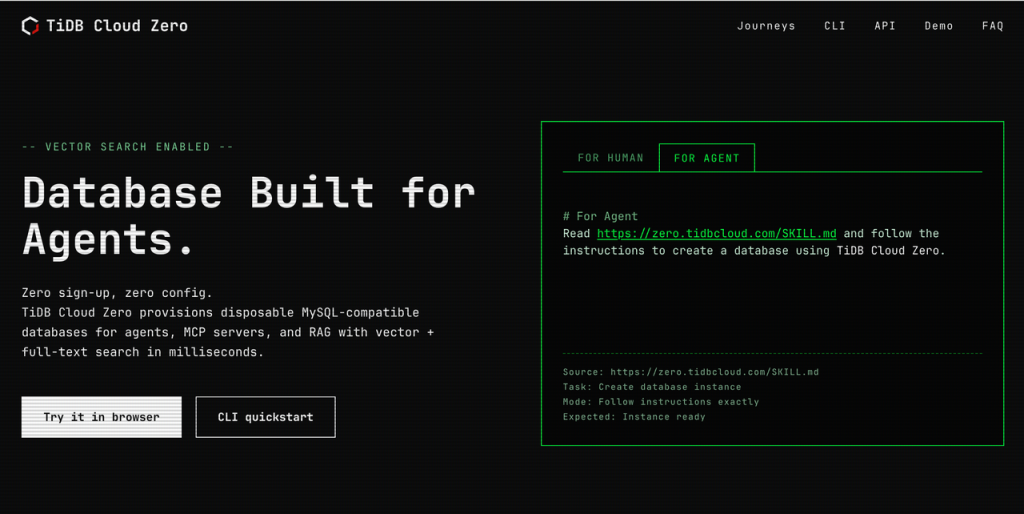
Fig. 1: SKILL command in TiDB Cloud Zero built for agentic workflows
Step 2. Use it in an AI Agent
Next, paste the SKILL command into your AI agent.
In this demo, Codex is being used, but the same workflow works with many AI agents or developer tools.
Once the command is executed, the system will automatically provision a TiDB Cloud Zero instance.
And that’s it — your database is already running.
The instance comes with a 30-day lifespan, giving you plenty of time to experiment, build prototypes, or test ideas.
This experience is built around a simple principle:
Zero sign-up, zero config, zero friction.
You don’t need to create an account or configure infrastructure before trying the database.
At any time during those 30 days, you can choose to convert this temporary instance into your own permanent database.
You can do that by either:
- Clicking the claim link, or
- Asking your AI agent to claim the instance
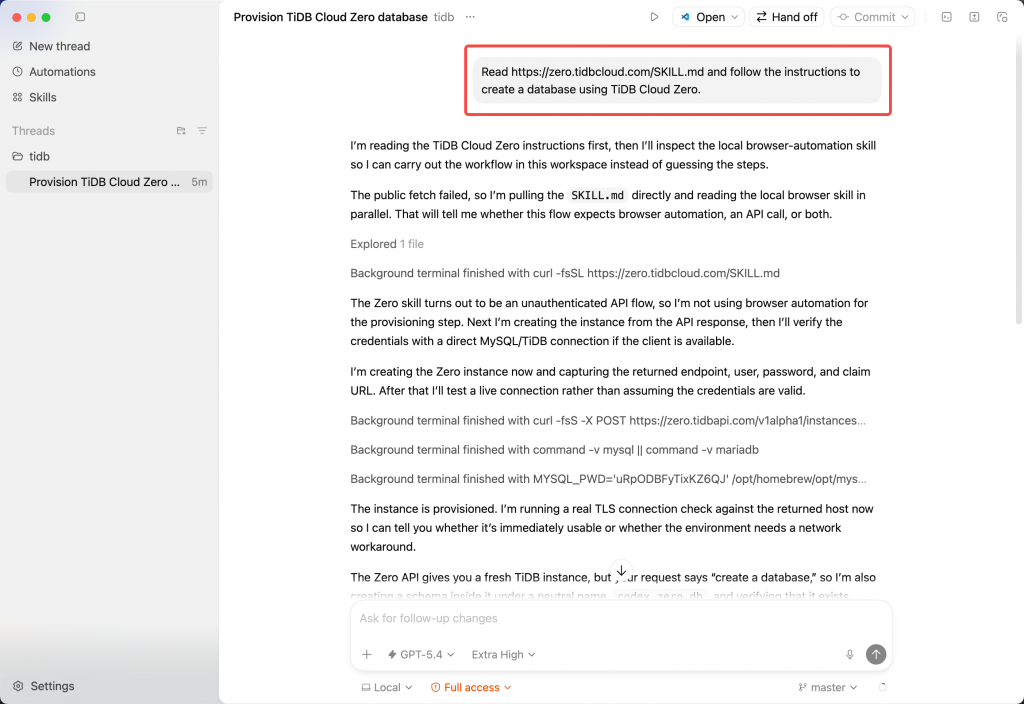
Fig. 2: Asking your agent to claim the database instance
Step 3. Claim the Instance
Claim lets you turn a temporary TiDB Cloud Zero database into a persistent TiDB Cloud database.
Now let’s walk through the Claim process.
- First, click the Claim URL. This is the first click.
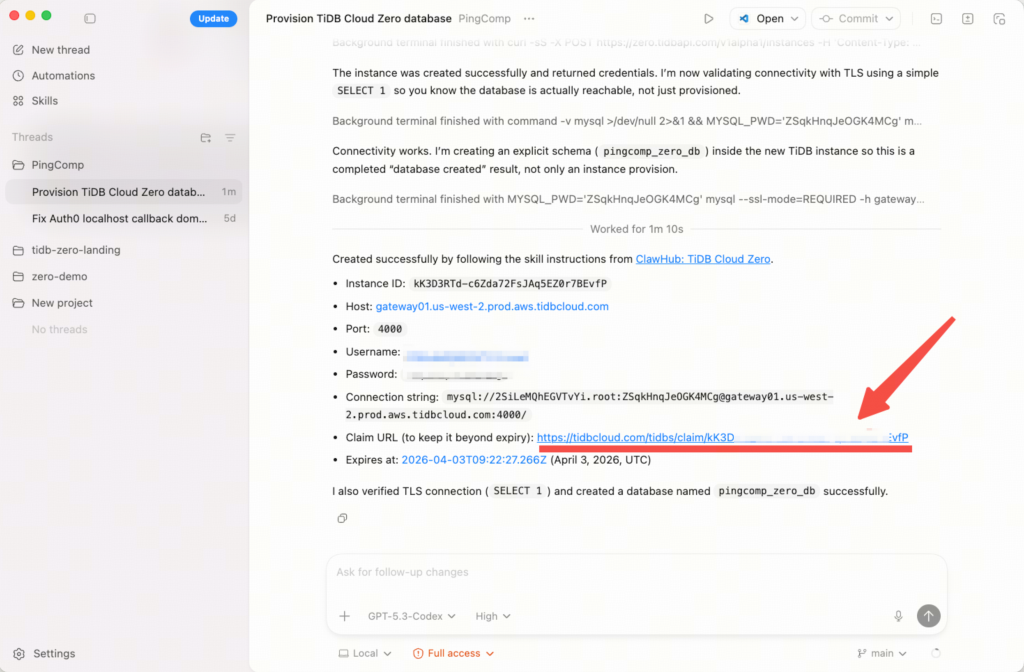
Fig. 3: The first click to claim your database instance
If you’re not logged in yet, the system will ask you to sign up or log in to TiDB Cloud.
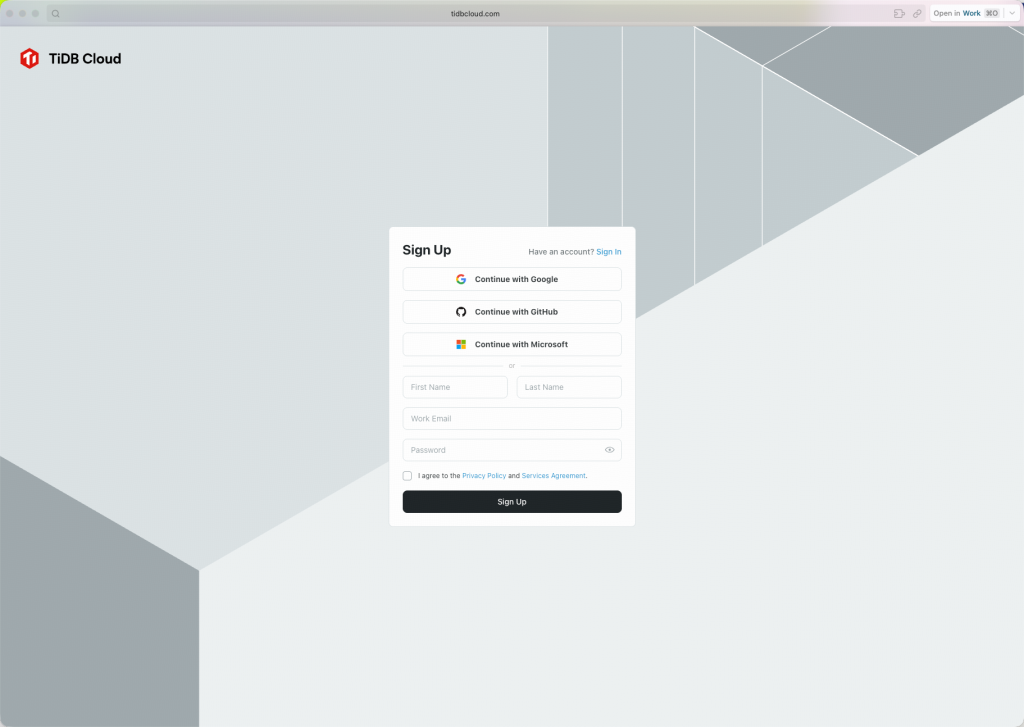
Fig. 4: Sign up to TiDB Cloud
After logging in, you’ll return to the claim page.
- Click Claim again. This is the second click.
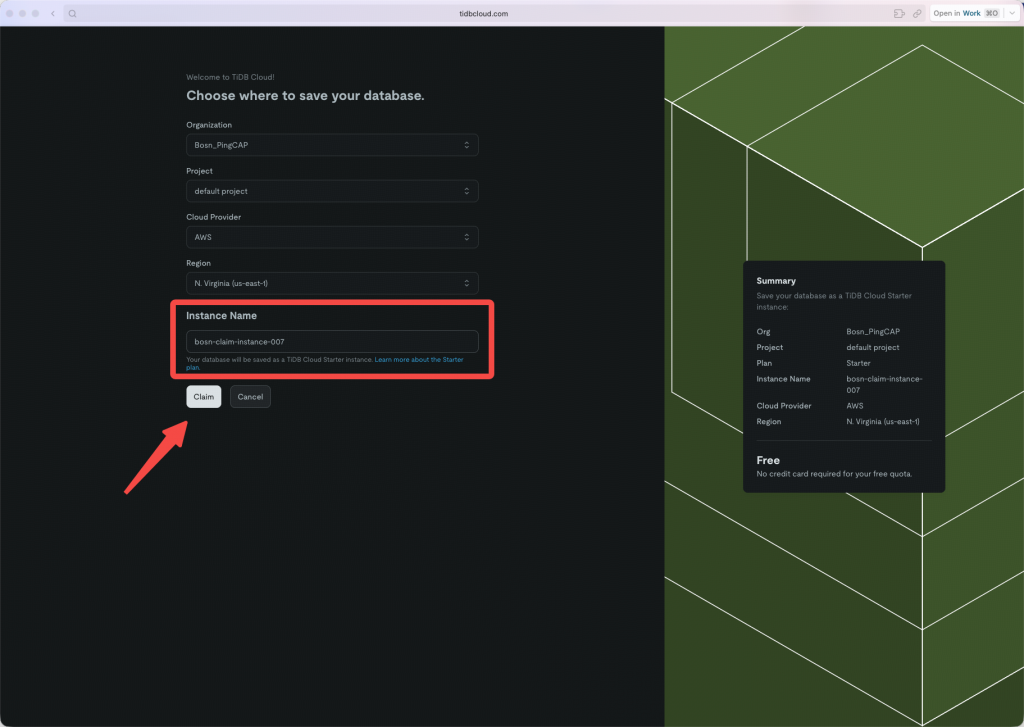
Fig. 5: Generating the command to activate your instance
After a moment, TiDB Cloud will generate the command needed to activate your persistent Starter instance.
- Click Copy Instruction for Agent. This is the third click.
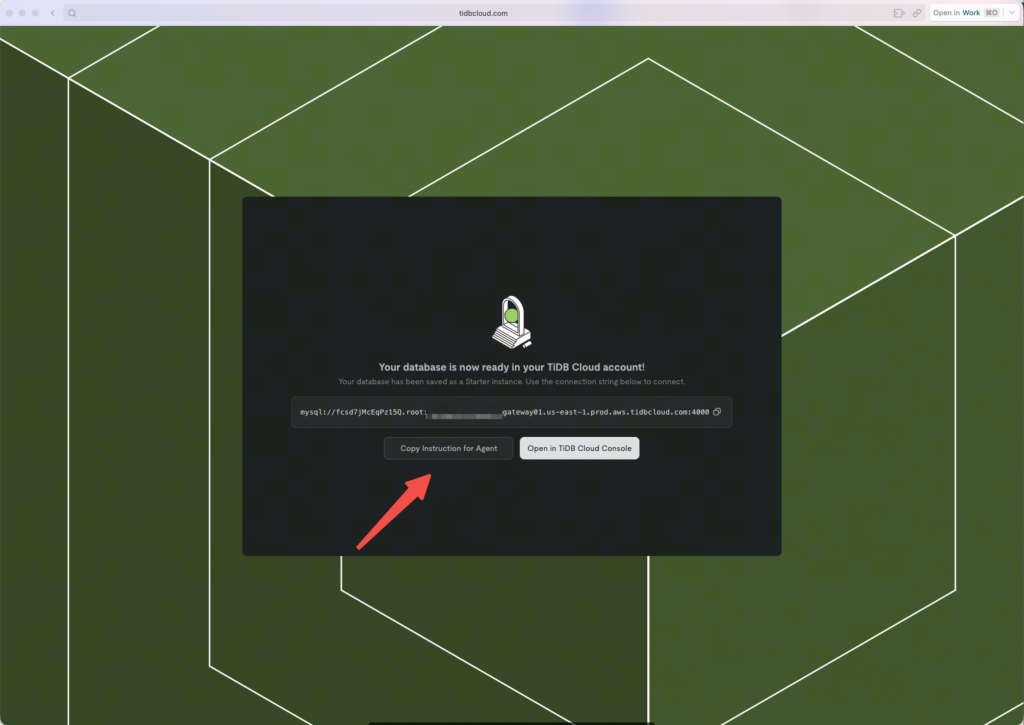
Fig. 6: Copy instructions for agents
That’s it!
Three clicks are all it takes to convert your temporary Zero instance into a persistent TiDB Cloud Starter instance.
Step 4. Activate the Starter Instance
Now let’s go back to the AI agent.
Paste the claim command into Codex and run it.
Once executed, your environment will automatically switch to the persistent Starter instance.
Even better — all data from the Zero instance is migrated automatically.
Your application, schema, and data remain exactly the same.
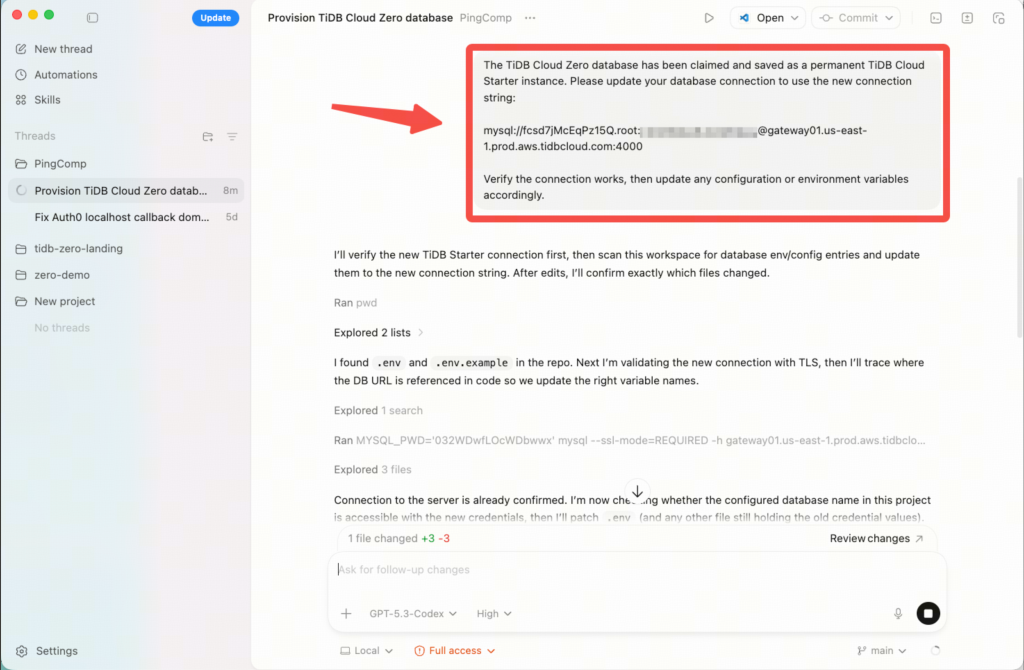
Fig. 7: The claim command in Codex
Step 5. Quick Test
Let’s run a quick test to confirm everything works.
Try creating a database named test_db, then create a table named test_tbl with 10 rows of sample data.Using the AI agent, you’ll create:
- A database named
test_db - A table named
test_tbl - Some sample data
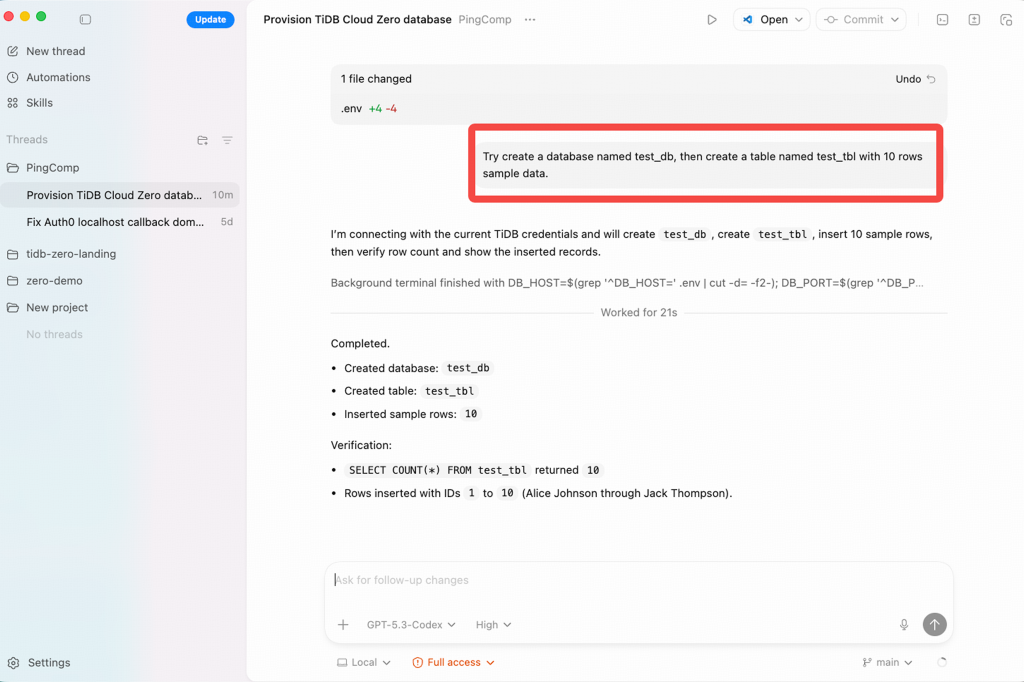
Fig. 8: Test the your instance in Codex
Now, let’s verify the data. You can use the built-in TiDB Cloud SQL Editor, or connect with any standard SQL client you prefer.
As you can see, the database, table, and data are already there.
Everything works exactly as expected.
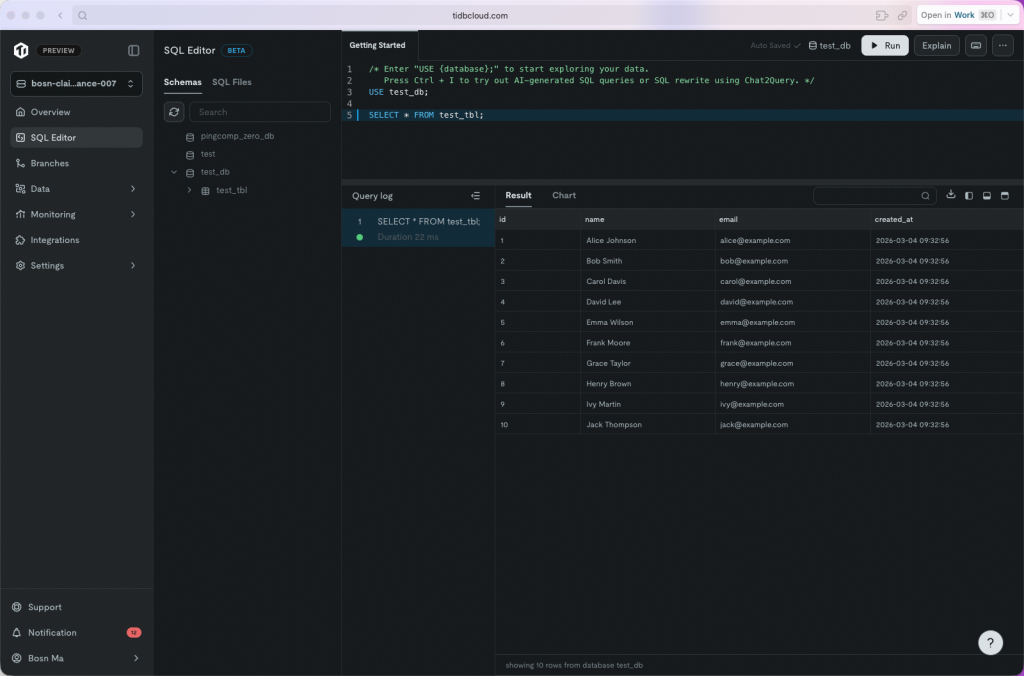
Fig. 9: TiDB Cloud SQL Editor to verify details
One Second to Start, Three Clicks to Claim
TiDB Cloud Zero fundamentally changes how databases fit into modern development workflows. Instead of spending time on setup, configuration, and access management, you can go from zero to a fully functional, production-grade database in seconds—directly inside your AI agent.
With instant provisioning, a generous 30-day window to experiment, and a seamless three-click path to persistence, TiDB Cloud Zero removes the traditional barriers that slow down prototyping and building. Whether you’re testing ideas, powering AI agents, or building real applications, you get immediate access to a real database—without compromise.
It’s fast, frictionless, and built for how developers work today.
TiDB Cloud Zero is now available in public preview. Experience what it feels like to start instantly and scale when you’re ready: Zero signup, zero config, zero friction.
Experience modern data infrastructure firsthand.



TiDB Cloud Dedicated
A fully-managed cloud DBaaS for predictable workloads
TiDB Cloud Starter
A fully-managed cloud DBaaS for auto-scaling workloads